Engineering Database

The Engineering Database is a MAST-provided service that allows users to query engineering and spacecraft telemetry using start and end dates and times.
Engineering Data Portal
The Engineering Data Portal (EDP) is a MAST-provided service that gives users access to Roman engineering telemetry. The portal allows users to search and download telemetry time series of engineering mnemonics, providing a convenient interface for exploring spacecraft and instrument status data. Please visit the Searching with Roman Mnemonics for more information about Roman mnemonics and how they're used in MAST.
Unlike science data products, engineering telemetry is primarily intended to support observatory operations and performance analysis. Many telemetry values are recorded continuously throughout spacecraft operations and can provide important context when investigating instrument behavior, environmental conditions, or observing system performance.
Engineering Data Portal Landing Page
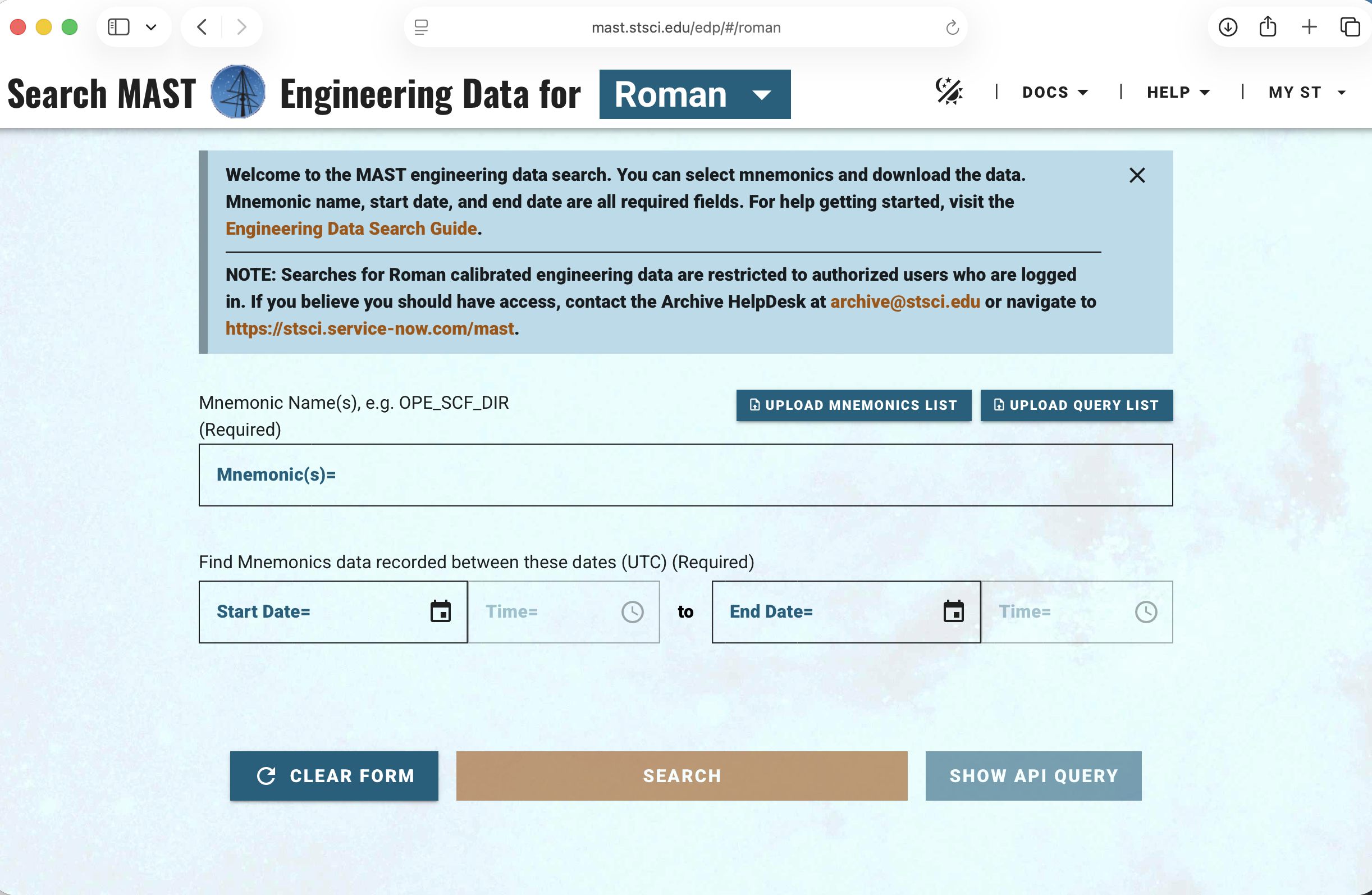
The Roman Engineering Data Portal provides access to engineering telemetry time series and visualization tools.
Available Telemetry
The Engineering database contains engineering telemetry available to the Science Operations Center (SOC). Some engineering parameters are also propagated into data product metadata and can therefore be accessed through standard archive searches (e.g., exposure start time, high gain antenna movement; see the Output Columns section of the Roman MAST Search Page for a list of searchable columns and MAST Additional Search Parameters to see how to filter using these columns). Some examples of quantities not stored in SOC-produced data include sensor voltages, currents, accelerometer readings, and gyro rotation rates. The search bar conveniently offers autocomplete to help find the desired mnemonic name.
Note
Accessing engineering telemetry is likely not required for most use cases. If you have explored the quantities stored in the SOC-produced data as well as the full list of Roman mnemonics and not found what you are looking for, please contact the Roman help desk.
Mnemonic Autocomplete
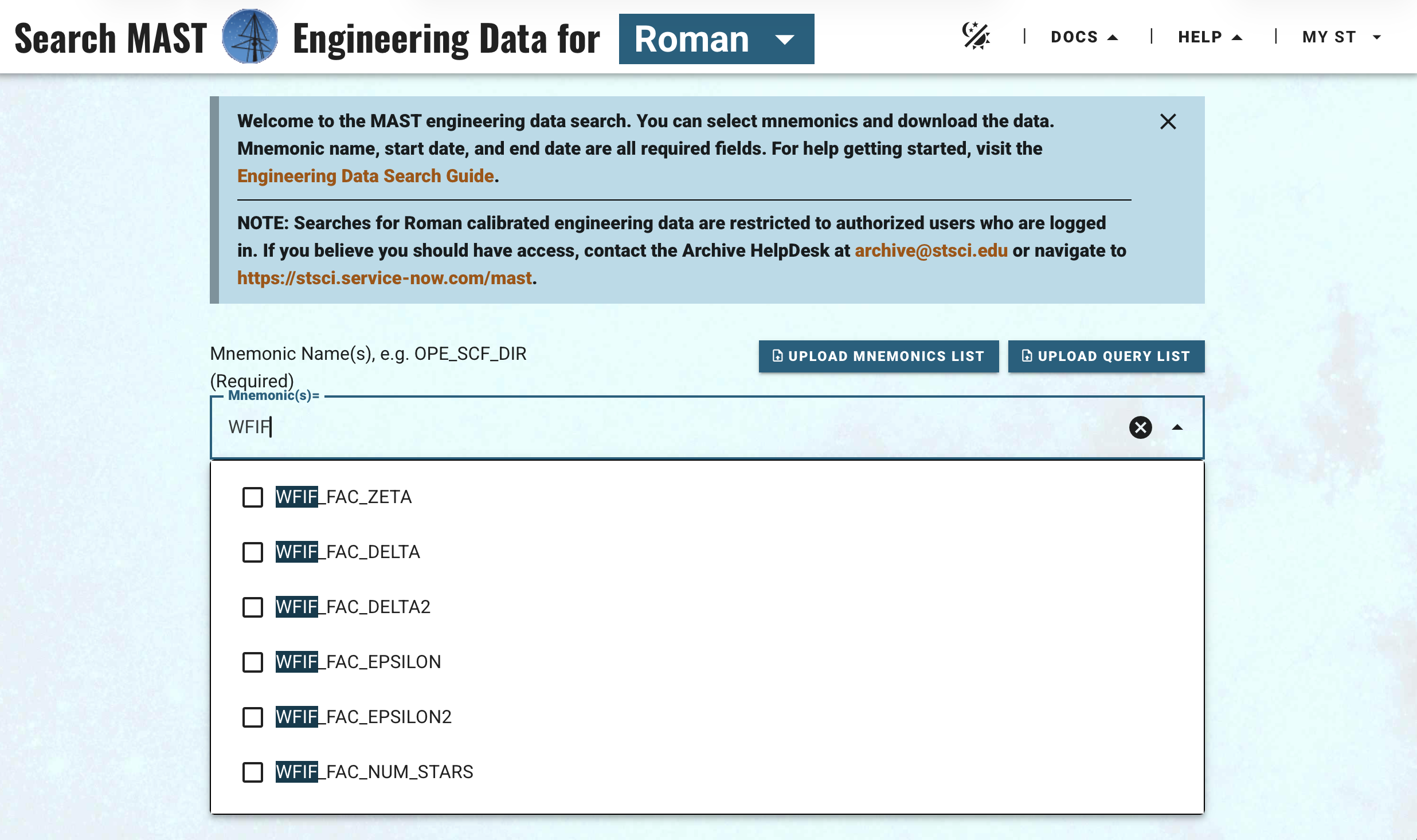
The search field provides autocomplete suggestions to help users locate telemetry mnemonics.
Searching Engineering Data
Engineering data can be queried using combinations of:
- Telemetry mnemonic(s)
- Time span for filtering when the telemetry was received (start and end dates/times)
Although the mnemonic search bar uses autocomplete, for repeated searches it is helpful to create a .txt file containing one metric per line. This file can be uploaded using the "UPLOAD MNEMONICS LIST" button on the upper right of the mnemonics search bar.
Results are returned as time series data. The search landing page provides a table listing the number of mnemonic values found within the desired time frame, along with the closest values before and after that time. The desired mnemonics can then be selected and downloaded as a zip file, with each mnemonic stored in its own CSV file, including columns for the measurement time and the value. Note that each mnemonic is returned in a separate file because the timestamps for each value are not necessarily the same between multiple mnemonics. To combine engineering telemetry into a common time series, users will need to perform joins. For large queries (> 1 GB), an API query can also be downloaded, saved as a shell script, and run locally to minimize the chance of server errors or timeouts.
Each EDP query is defined within the URL, making it easy to share a specific search by sharing the web address.
Note
Currently, the EDP requires users to log into their MyST account before performing a search. If the search is not working, please use the "Log In" dropdown in the upper-right corner to enter your MyST credentials.
Example Query
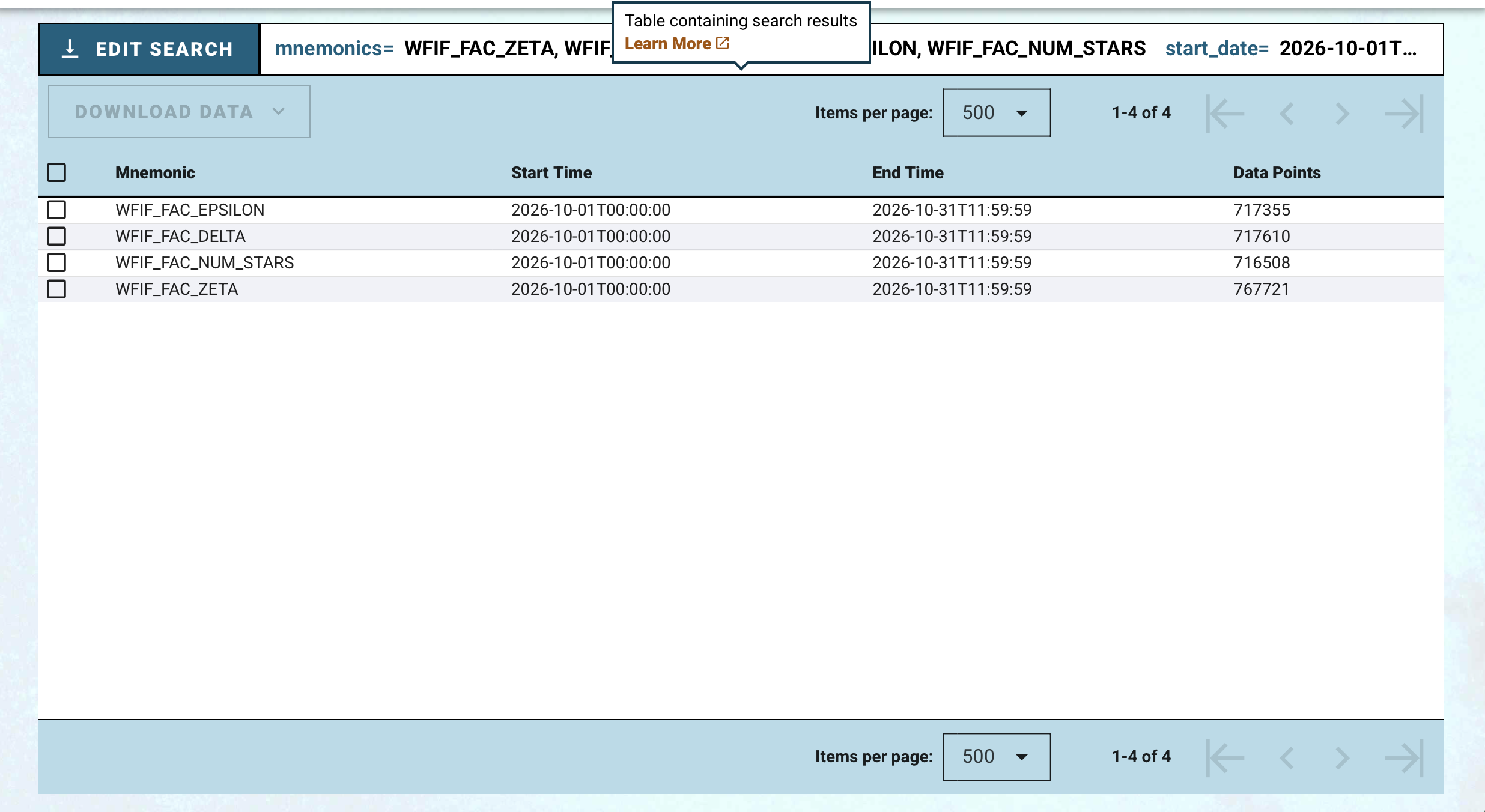
Example query for three-axis corrections of the Fine Attitude Control as well as the number of stars used during guiding.
For additional questions not answered in this article, please contact the Roman Help Desk.