Roman ETC Interface Help

The article below provides explanations and resources for the Roman WFI Exposure Time Calculator (ETC) web interface.
ETC Web Interface Help Table
This page provides additional help to the users of the ETC Web Interface. The JWST Exposure Time Calculator Overview series of articles also contains extensive relevant information.
The Figure Showing a Blank ETC Workbook below shows an example workbook on the ETC Web Interface. Blue question mark icons indicate where users can click to get additional information on the various fields of the ETC Web Interface. These icons are linked to the Table for the Roman WFI ETC Web Interface Help below, which provides a short explanation of the highlighted features as well as links to other resources.
Figure Showing a Blank ETC Workbook
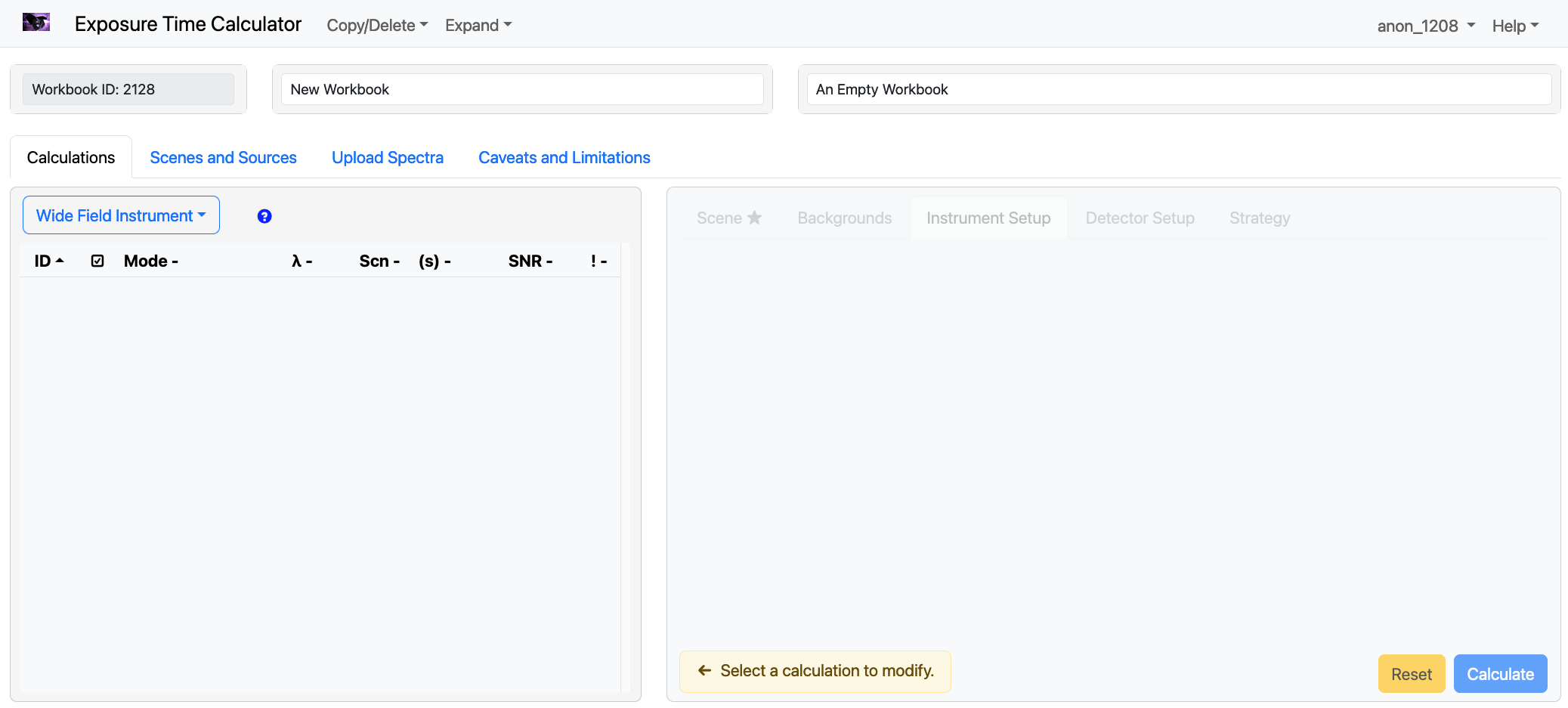
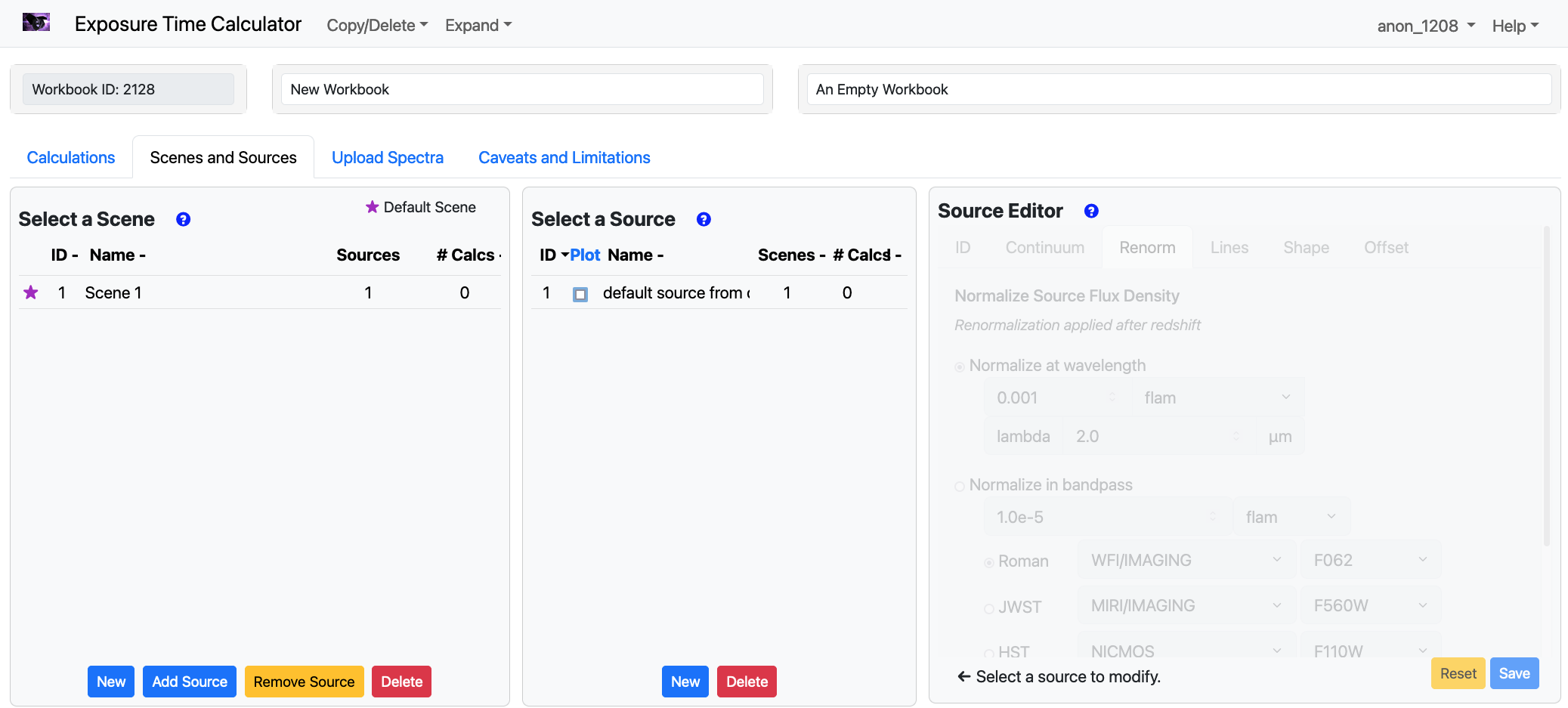
Table for Roman WFI ETC Web Interface Help
| Where did you come from in ETC Interface? | Short Explanation | Links to additional Resources |
|---|---|---|
User Access Permissions | Sharing workbooks with collaborators (only available if logged in). | |
Available Workbooks | Available workbooks in your account. | |
Backgrounds | Available background models. Note The background models for Roman below 1.2 micron are updated based on the JWST NIRCam data. | Assessing Background Levels for WFI Observations "How Dark the Sky: The JWST Backgrounds", Rigby et al. 2023 |
Calculations | Creating a new calculation. | JWST ETC Creating a New Calculation |
Extinction | Apply the extinction to the source. Note For each source, the spectrum is processed with the following order in the web ETC: apply redshift -⟩ apply extinction -⟩ apply renormalization -⟩ add all emission lines. This indicates that each source does not necessary get dimmer after the extinction, due to the re-normalization applied to it afterward. Users can explore the effect of reversing the order of the 'extinction' and 'normalization' with the Pandeia engine, by setting source['scene']['spectrum']['extinction_first'] to "False". By default, the engine applies the 'extinction' first. | JWST ETC Defining a New Source |
Images | Generated images. | JWST ETC Images and Plots |
Shape/ Angular units | Observing strategy. | JWST ETC Imaging Aperture Photometry Strategy |
Wavelength of interest | Wavelength of interest for spectroscopy mode. | JWST ETC Wavelength of Interest |
Strategy | Imaging aperture photometry strategy. | JWST ETC Imaging Aperture Photometry Strategy |
Strategy | Aperture spectral extraction strategy. | JWST ETC Aperture Spectral Extraction Strategy |
Plots | Plots. | JWST ETC Images and Plots |
Reports | ETC reports. | JWST ETC Reports |
Select source SED | Defining a scenes and sources. | JWST ETC Defining a New Source |
Uploaded spectrum (for a scene) | User supplied spectra. | JWST ETC User Supplied Spectra |
Uploaded spectrum (for a source) | User supplied spectra. | JWST ETC User Supplied Spectra |
Source Editor | Defining a new source. | JWST ETC Defining a New Source |
Select a Scene | Defining a new scene. | JWST ETC Defining a New Scene |
Select a Source | Selecting sources within a scene. | JWST ETC Defining a New Source |
Upload Spectra | User supplied spectra. | JWST ETC User Supplied Spectra |
For additional questions not answered in this article, please contact the Roman Help Desk.